
An extension is the internal short number people dial inside your PBX to reach a specific user, phone, or AI assistant. From outside, callers reach an extension when a phone number is configured to route to it.
Overview
An extension is created manually here or provisioned automatically from an external system. The number is what people dial, the Assigned to field decides what rings, and the per-direction call flows decide what happens on each side of the call. A user can own only one extension at a time - re-assigning a user who already has one releases the previous binding.
What it does
The Assigned to field is the most consequential setting. It reshapes the form and decides what physically rings:
| Assigned to | What rings |
|---|---|
| User | Every SIP device assigned to that user, with their preferences (DND, twinning, forwarding) applied. For personal extensions across multiple devices. |
| Phone (SIP device) | Exactly one device, bypassing user-level routing. For lobby phones, conference rooms, lab equipment. |
| AI integration | The call is answered by a configured AI voice agent (only when AI is enabled on the tenant). |
| Unassigned | Nothing. Useful for reserving a number before the target exists. |
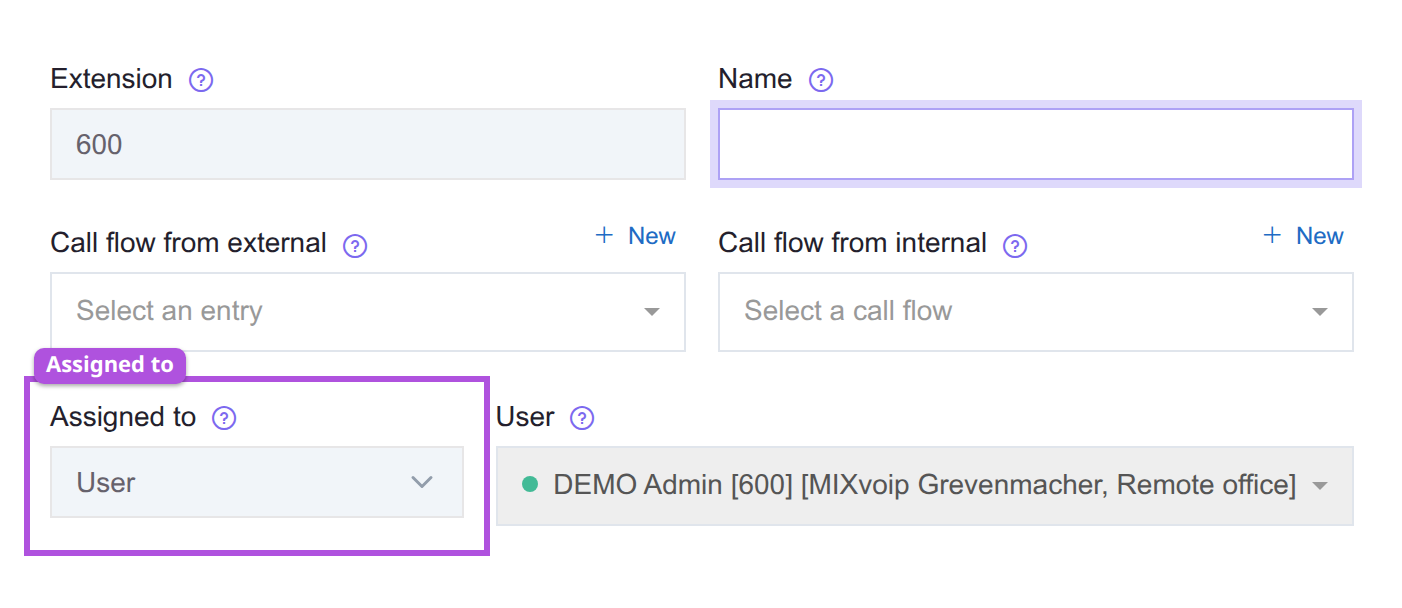
| Outline | Field | What it does |
|---|---|---|
| Purple | Assigned to | Chooses what rings, and reshapes the fields below it. |
Each picker lists only targets that are still free. To re-target an in-use target, release its current extension first.
Two call flows control routing per direction. The external flow runs when an outside caller reaches the extension (typically via a phone number routed here). The internal flow runs when another extension dials it. Leave either empty to fall back to the PBX-level default. Override the internal flow when internal calls should be handled differently (for example, skip the queue and ring the user immediately).
Recording toggles enable per-direction recording (external, internal, both, or neither).
Show in address book lists the extension in the phone book of the Voxbi apps and desk phones. It is on for every new extension; switch it off to keep a service or test number out of the phone book while it still rings when dialed. For an extension assigned to a user, the user's own Show in address book setting decides instead.
Most fields become read-only in two cases: provisioned extensions (managed by an external sync source - edit at the source and let it sync back) and extensions consumed by a Smart IVR Assistant (release by unpublishing or deleting the assistant first).
An extension answered by an AI call assistant behaves differently: the Assigned to block is not shown at all, and a note in its place names the assistant and links to the table where it is wired. The rest of the form - name, description, call flows, recording - stays editable. Release the extension from the assistant's own page, not from here.
How to re-point an extension at a different target
- Check what the extension and the intended target are bound to now. Each picker lists only targets that are still free, so the one you want may simply not be in the list yet.
- Release the target's current extension first if it has one. A user can own only one extension at a time, and re-assigning a user who already has one releases their previous binding.
- Change Assigned to. The form reshapes with it: User rings every device that user owns with their DND, twinning, and forwarding applied, while Phone rings exactly one device and bypasses user-level routing.
- If the fields are read-only, the extension is either provisioned from an external system, in which case edit it at the source and let it sync back, or consumed by a Smart IVR assistant, in which case unpublish or delete the assistant to release it. If Assigned to is missing entirely and a note names an AI call assistant, the extension is answered by that assistant - follow the link in the note and release it there.
- Re-check the per-direction call flows afterwards, leaving either empty to inherit the PBX default.
See also
- Users - the most common assignment target.
- SIP devices - the alternative target for shared or functional phones.
- Phone numbers - how outside callers reach an extension.
- Call flows - what plays on each direction of the call.