
Set up Microsoft Teams with Voxbi
Two ways to run business calling inside Microsoft Teams with Voxbi: the Voxbi app for Teams, or Direct Routing. How each works, what it needs, and which to pick.
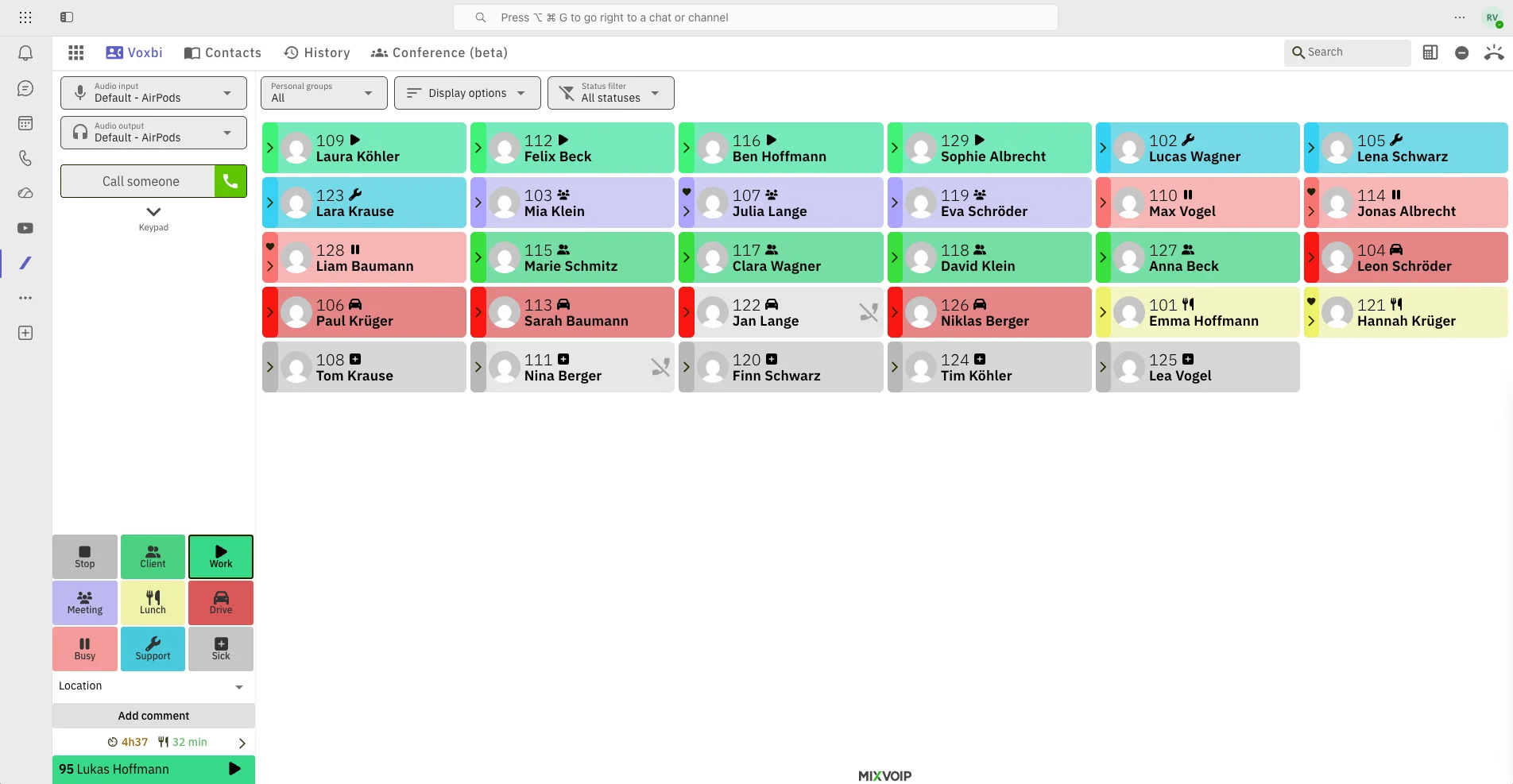
There are two ways to run real business calling inside Microsoft Teams with Voxbi, and both let your team make and take calls without leaving the Teams window. This guide explains each one, what it needs, and how to choose. For the wider picture, see the Microsoft Teams integration overview.
The short version: the Voxbi app for Teams is the fastest path and needs no extra Microsoft licensing, while Direct Routing turns Teams itself into your dialer using Microsoft Teams Phone. Most teams start with the app.
Option 1: the Voxbi app for Microsoft Teams
The Voxbi app runs right inside Teams, so your team makes and receives calls from the same window they already work in. No second app to alt-tab to, no separate phone client, just calling where the work already happens.
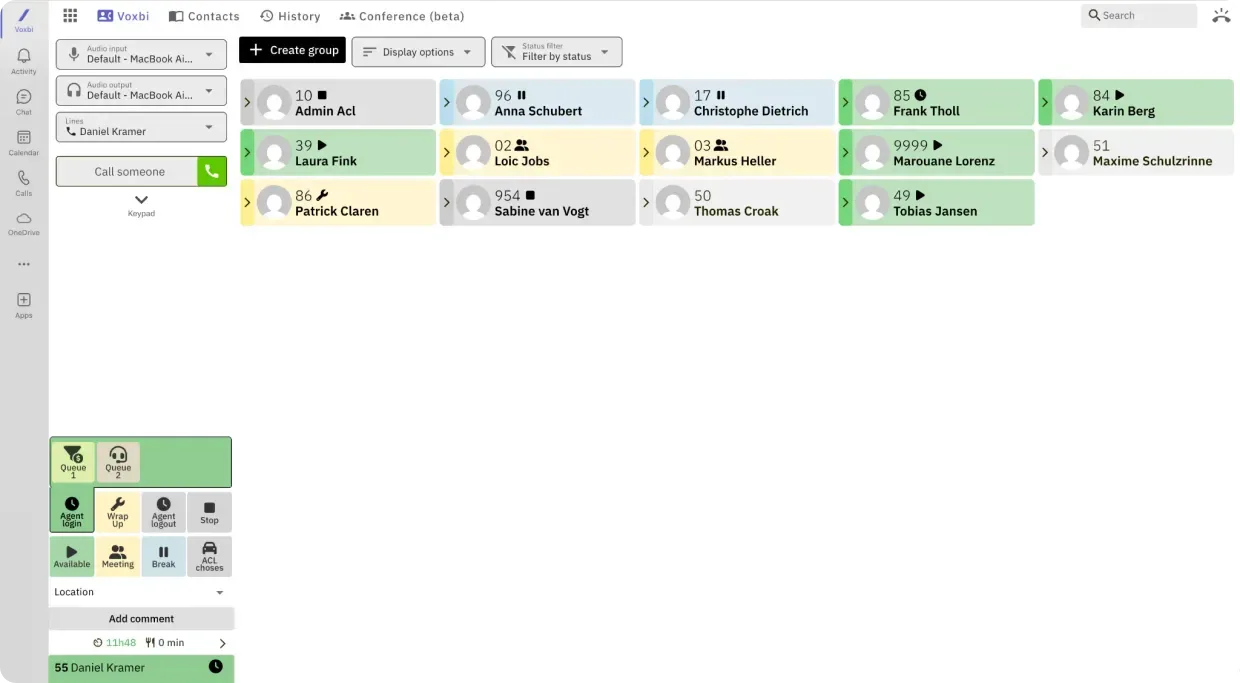
What you get:
Calls inside Teams. Make and receive professional inbound and outbound calls straight from the Teams interface, with no context switching.
Live presence for your colleagues. See who is available, busy, or on a call before you dial, with quick access to your own availability.
Call queues for teams. Agents can log in, take queue calls, and set wrap-up or break states without leaving Teams.
Always reachable. The app stays available in the background while you work elsewhere in Teams, and an incoming call is one click away from being answered.
Nothing extra to install. It runs inside Teams with no separate desktop software, which keeps your security and compliance teams happy and cuts admin work.
How to set it up: you need a Voxbi license and any Microsoft 365 plan that includes Teams. Your Microsoft administrator adds the Voxbi app from the Microsoft Teams app store, each user signs in with their Voxbi account, and calling is live in minutes. No Microsoft Teams Phone add-on is required.
Option 2: Direct Routing
With Direct Routing, Microsoft Teams becomes the dialer and Voxbi is the phone system behind it. Your team calls from Teams natively, while Voxbi handles the call flows, queues, menus, and recording.
What you get:
Teams as the native dialer for users who already live in Microsoft Teams Phone.
Full phone-system features behind it: interactive voice menus, queues, and call recording, all managed in the Voxbi Cockpit.
Keep your existing numbers, with the carrier connection provisioned by Mixvoip, our telecom partner.
Pay only where you need it. Only the people who actually call through Teams need a Microsoft Teams Phone license, so it stays cost-effective.
How to set it up: Direct Routing needs a Microsoft Teams Phone license for the users who will call through Teams. We provision the carrier side with Mixvoip and connect it to your Teams tenant, then you manage everything from the Voxbi Cockpit. Setup is a one-time job that usually takes one to two business days.
Which option is right for you?
Use the Voxbi app if you want the quickest start and no extra Microsoft licensing. Choose Direct Routing if you already run Microsoft Teams Phone and want Teams to be the native dialer. You can also mix the two across different teams on the same Voxbi phone system.
| Requirement | Voxbi app for Teams | Direct Routing |
| Microsoft 365 plan | Any plan with Teams | Any plan with Teams |
| Microsoft Teams Phone add-on | Not needed | Required (around €10 per user per month)\* |
| Voxbi license | Required | Required |
| How it is provided | Microsoft Teams app store | Provisioned by Mixvoip |
| Setup effort | Low, ready in minutes | Medium, one to two business days |
*Microsoft 365 E5 already includes Microsoft Teams Phone. On other plans (E1, E3, Business Basic, or Business Standard) the Teams Phone add-on is bought separately.
Frequently asked questions
Which option should I choose?
The Voxbi app for Teams is the simplest: your team calls from inside Teams and you do not buy any extra Microsoft licenses. Choose Direct Routing if you already have Microsoft Teams Phone licenses and want Teams itself to be the dialer, with Voxbi providing the phone system behind it.
Can I use both options at once?
Yes. You can give different teams different options. Some people use the Voxbi app inside Teams while others use Direct Routing, all on the same Voxbi phone system.
Do I need a Microsoft Teams Phone license?
Only for Direct Routing. The Voxbi app for Teams works on any Microsoft 365 plan that includes Teams, with no Teams Phone add-on.
How long does setup take?
The Voxbi app is ready in minutes once your Voxbi licenses are active. Direct Routing needs a one-time carrier setup, usually one to two business days.
Do I keep my existing phone numbers?
Yes. Voxbi works with your existing numbers, so moving your calling into Teams does not mean changing the numbers your customers already know.
Ready to add calling to Microsoft Teams?
Tell us how your team works and we will set up the option that fits. See the Microsoft Teams integration overview for the full picture, or email hello@voxbi.com to get started. Still weighing Teams against a traditional phone system? Read Microsoft Teams Phone vs a cloud PBX and Direct Routing vs Operator Connect.