
Calls end, notes don't happen
Whoever answers scribbles a note, means to log it in Odoo later, and often doesn't. The customer record stays blank and the next colleague starts from zero.
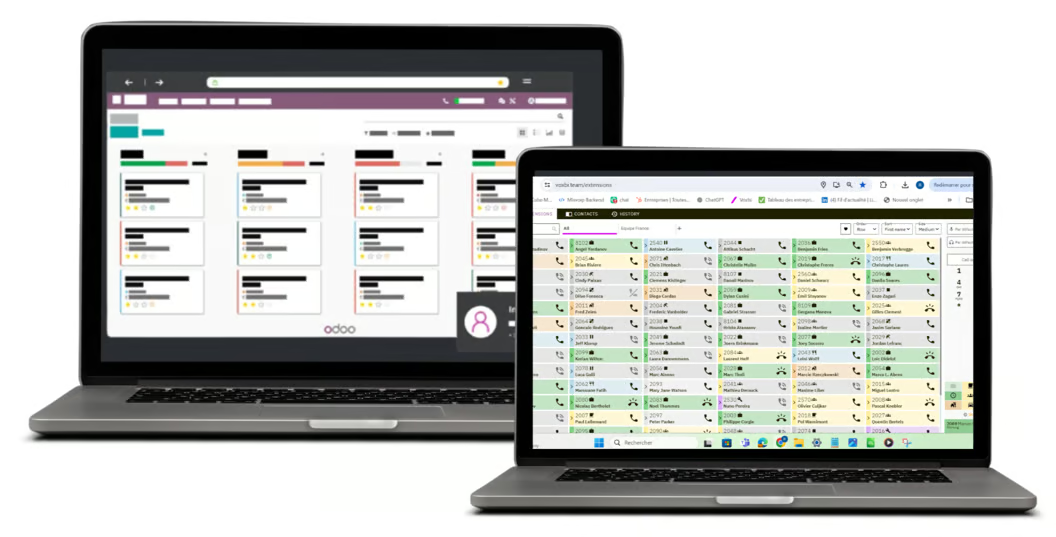
Voxbi is a cloud phone system with a native VoIP integration for Odoo. Calls log themselves on the right contact, with the transcript and a short summary attached. Your team clicks a number in Odoo to dial, and sees the caller's name, company, and open deals before they pick up.
Whoever answers scribbles a note, means to log it in Odoo later, and often doesn't. The customer record stays blank and the next colleague starts from zero.
The phone shows a number. Odoo knows the caller's company, open deals, and tickets, but that information sits in another tab while the phone rings.
Copying numbers from Odoo into a handset invites misdials and wastes time on every single call your team makes.
In Voxbi, add a new integration, choose Odoo, and enter your Odoo URL, database name, username, and API key.
Voxbi connects to your Odoo, installs its module, and configures call syncing automatically. A live log shows every step through to success.
Users are matched by email address and every call begins logging to the right Odoo contact. The first sync completes within about an hour.
Flip one toggle to sync SIP settings for every user, and your team can make and receive calls in Odoo's own VoIP module.
Every inbound and outbound call is saved to the caller's chatter with time, duration, direction, and who handled it.
Phone numbers in Odoo become dialable. One click on a contact, lead, or quote and your softphone or desk phone places the call.
The softphone shows the caller's name, company, last calls, tickets, and activities from Odoo while the phone is still ringing.
Calls arrive with the transcript and a short summary attached to the record, so past conversations are readable instead of just listed.
Voxbi's AI adds the caller's sentiment to the call log, giving supervisors a read on support quality and how a deal is trending.
Caller information from Odoo shows on desk phones too, so the greeting is right on whatever device your team answers with.
On its own, Odoo is a strong CRM. On its own, Voxbi handles calls well. Connected, they give your team one screen where every customer conversation is seen, logged, and ready to act on.
Create a follow-up task or meeting straight from the call, linked to the deal or contact automatically. Nothing rests on someone remembering.
When a prospect calls, whoever answers sees the deal stage, recent activity, and past conversations without switching tabs or asking around.
No copy-paste between systems and no parallel call spreadsheets. Sales, support, and operations all read the same history on the contact.
The integration supports Odoo versions 16, 17, 18, and 19, on Odoo Online, Odoo.sh, and self-hosted deployments alike. When Odoo 19 shipped, the integration had full feature parity on day one.
There is nothing to install by hand. The connection is managed from Voxbi, the module keeps itself configured, and users are matched between Voxbi and Odoo by email address. When you upgrade Odoo, your integration settings and logged data carry over with no reconfiguration.
A connector built and maintained by the phone provider outlasts middleware bridges. Voxbi's Odoo module is our own, installed and updated from Voxbi.
Odoo ships a new major version every year. Voxbi supported Odoo 19 on release day, and versions 16 to 18 stay supported.
Odoo Online, Odoo.sh, or self-hosted all work. Self-hosted needs your instance reachable by Voxbi, which we confirm with you during setup.
Voxbi syncs all the calls it handles to Odoo, so calls from the mobile app land on the record the same way desk and softphone calls do.
Odoo Online charges €16 per 100 lines of custom code per month, and every connector counts toward it. Ask any vendor for their line count. Ours is about 180 lines, roughly €32 per month, and we tell you before you ask.
Odoo 16, 17, 18, and 19, whether you run Odoo Online, Odoo.sh, or a self-hosted instance.
Yes. The same module and setup work on self-hosted Community deployments, and Mixvoip is a gold sponsor of the Odoo Community Association. The Voxbi Odoo Community page covers the details.
No. Once you save the integration in Voxbi, Voxbi installs and configures its Odoo module automatically. You can verify it afterwards under Apps in Odoo.
Four things from your Odoo instance: the URL, the database name, an administrator username, and an API key. Generating the API key takes a minute in your Odoo profile settings.
Connecting takes a few minutes in Voxbi, and the first data sync completes within about an hour.
On Odoo Online, yes, a small fee from Odoo itself. Odoo meters custom code at €16 per 100 lines per month. Our module is about 180 lines, so it adds around €32 per month to your Odoo bill. That fee goes to Odoo, not to us. On Odoo.sh and self-hosted deployments the fee does not apply.
Your integration comes along. When Odoo 19 shipped it was supported on day one, and your settings, logged calls, and synchronization carry over without any reconfiguration.
Yes. Enable SIP configuration sync in the integration settings and every user can make and receive calls in Odoo's own VoIP module.
The call is still logged, and Odoo shows the number with a one-click prompt to create a new contact. You can also attach it to an existing record later.
Yes. Voxbi syncs every call it handles to Odoo, so calls made or received in the Voxbi mobile app land on the record the same way desk phone and softphone calls do.
Users are matched by email address. If someone's email differs between Voxbi and Odoo, their calls will not sync until the two addresses match.
Start a free trial and watch a call log itself: transcript, summary, and sentiment on the right contact.