
Users set up twice
Your team already exists in Microsoft 365, but the phone system makes you create every user again by hand and keep the two lists in sync.
Sign in with Microsoft, pull your Microsoft 365 users straight into Voxbi, and keep contacts in sync both ways so calls carry the right names. Turn your calendar into a booking link that can take a live call, with your status shared back to the team. One authorization, and Voxbi and Microsoft 365 stay in step.
Your team already exists in Microsoft 365, but the phone system makes you create every user again by hand and keep the two lists in sync.
The contacts in Microsoft 365 aren't the ones your phone knows, so calls come in as bare numbers instead of names.
One more separate login for the phone system is one more thing for people to forget and for IT to reset.
In Voxbi, add a Microsoft integration and click to authorize. A Microsoft page handles the sign-in and consent, so no credentials are shared with Voxbi.
Turn on fetching your Microsoft users into Voxbi, and push or pull contacts, whichever directions you need.
Switch the integration on and save. Users and contacts flow in, and your team can sign in with their Microsoft account.
With Microsoft single sign-on, your team signs in to Voxbi with the Microsoft account they already use, no separate password to manage.
Fetch your Microsoft 365 users straight into Voxbi, so you provision your team from Microsoft instead of creating every account by hand.
Push contacts to Microsoft and fetch contacts from Microsoft, so the same address book drives caller ID and click-to-call on both sides.
Turn your Microsoft 365 calendar into a personalized voxbi.me link. People see real availability and book against it, no back-and-forth.
When your status is available, visitors can start a call from your booking page in one click, with no app to install.
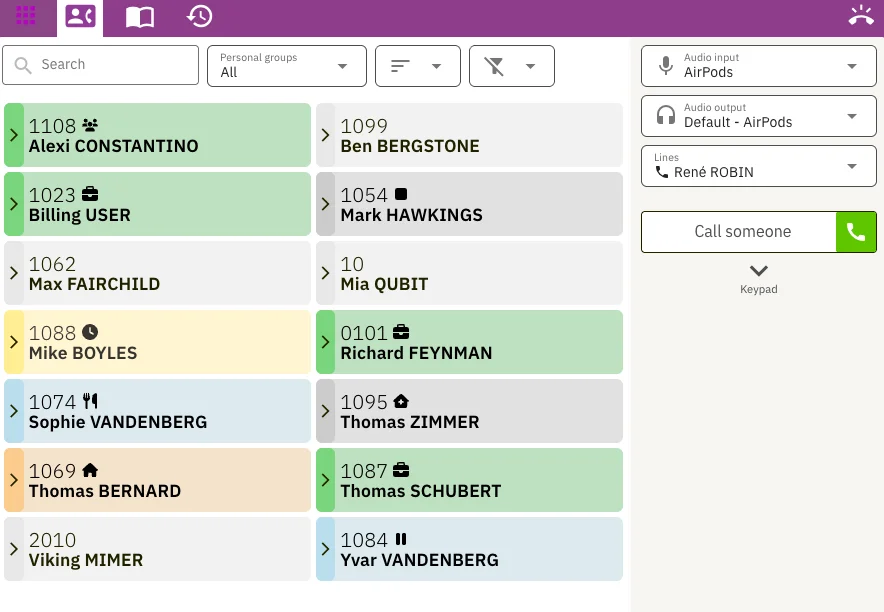
Your Microsoft 365 calendar status flows to the Voxbi presence board, so colleagues see at a glance when you're in a meeting or away.
The integration connects through Microsoft's own authorization page, so sign-in and consent happen on Microsoft's side and no credentials are handed to Voxbi. You choose in Voxbi whether to fetch users, and whether contacts push to Microsoft, pull from Microsoft, or both.
It works with the Microsoft 365 your team already runs in Outlook, so there's no new directory or address book to maintain, and the calendar booking link rides on the same connection.
Yes. With Microsoft single sign-on enabled, people sign in to Voxbi using their existing Microsoft account, and it falls back to a normal login if single sign-on isn't set up.
It can. Turn on fetching Microsoft users and your Microsoft 365 team is pulled into Voxbi, so you don't recreate everyone by hand.
Either or both. You can push Voxbi contacts to Microsoft, fetch Microsoft contacts into Voxbi, or run it two-way so both address books stay aligned.
It turns your Microsoft 365 calendar into a shareable voxbi.me booking link that shows real availability, lets people call you from the browser when you're free, and syncs your status to the team.
In Voxbi you add a Microsoft integration and click to authorize. Microsoft handles sign-in and consent on its own page, then you choose what to sync and switch it on.
Any Microsoft 365 or Outlook environment works. We confirm the connection with you during setup.
Start a free trial and connect Microsoft 365: sign-in, users, contacts, and your calendar, in one authorization.