
What you can do with Voxbi in Odoo
Once Voxbi connects to Odoo, every call logs itself on the right contact and deal, the AI writes the summary, and you can dial from any record. Here is what you get.
Connecting Odoo to Voxbi turns your CRM into your phone system. Once the Odoo phone integration is live, every call logs itself against the right contact and deal, the AI writes a summary while you talk, and you can dial anyone straight from their record. No copy-paste, no separate call app, no "who was that and what did they want" after the fact.
This guide is the tour of what you get. If you just want to switch it on, follow the step-by-step setup guide instead. It takes about 15 minutes.
See who is calling before you pick up
When a call comes in, Voxbi looks the number up in Odoo and shows you the contact: name, company, and the open deal they belong to. You answer already knowing who it is and where the conversation left off, instead of scrambling through tabs. New numbers are matched and kept in sync both ways, so your contact list stays clean without anyone maintaining it.
Every call lands on the right deal, on its own
This is the part that saves the most time. Every call your team makes or takes is logged automatically on the matching contact and opportunity in Odoo. Open a deal and the full call history is right there under the record, next to the emails and notes, so anyone can see what was said and when without asking around.
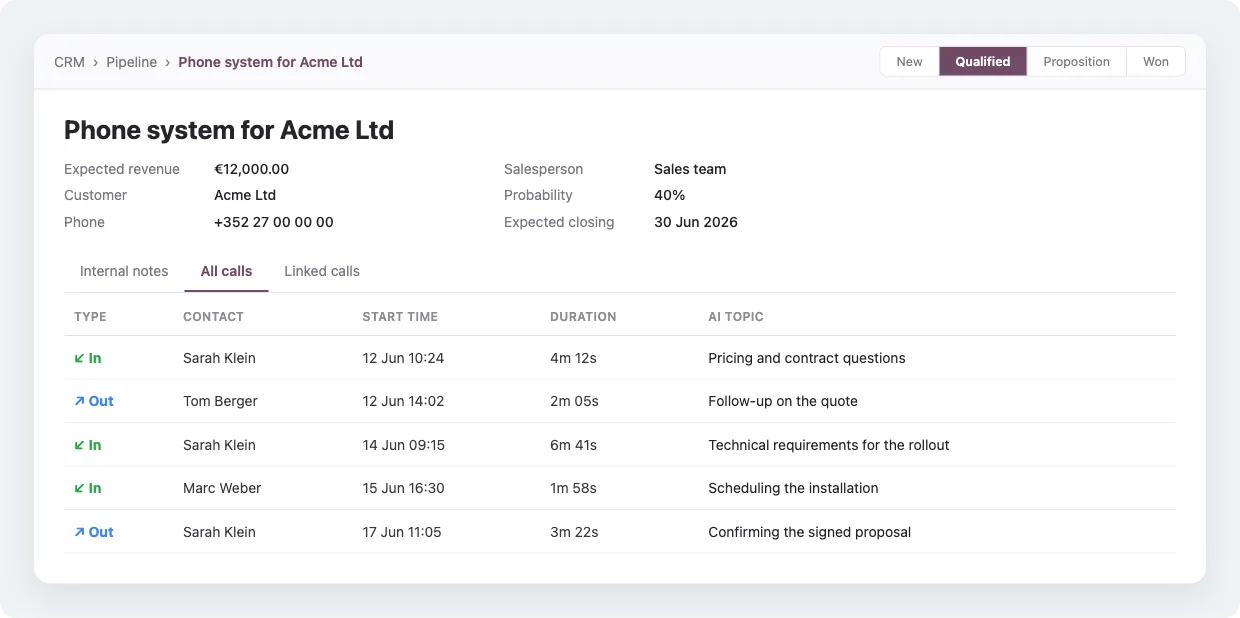
Because the calls sit on the opportunity itself, your pipeline stops being a guess. You can see which deals are actually being worked, how often, and what was discussed, straight from the stage view.
The AI writes the summary and the topic for you
Voxbi transcribes and analyses each call, then writes a short topic line and a fuller summary and stores both in Odoo. Nobody types call notes. You get a one-line topic for scanning, like "contract renewal" or "pricing question", and a paragraph summary for the detail, attached to the call on the contact and the deal. It is the same AI transcription and call summaries that run across Voxbi, surfaced inside Odoo.
So a manager can catch up on an account in a minute, and a colleague picking up a deal knows the story without replaying anything.
Call straight from any contact
Click a number in Odoo and Voxbi places the call. Contacts, leads, opportunities, helpdesk tickets: if there is a phone number on the record, you can dial it in one click and the call is logged the moment it connects. For teams that would rather work entirely inside Odoo, you can also switch on calling from Odoo's own dialer, so making and receiving calls happens without leaving the page.
One login, all of your Odoo apps
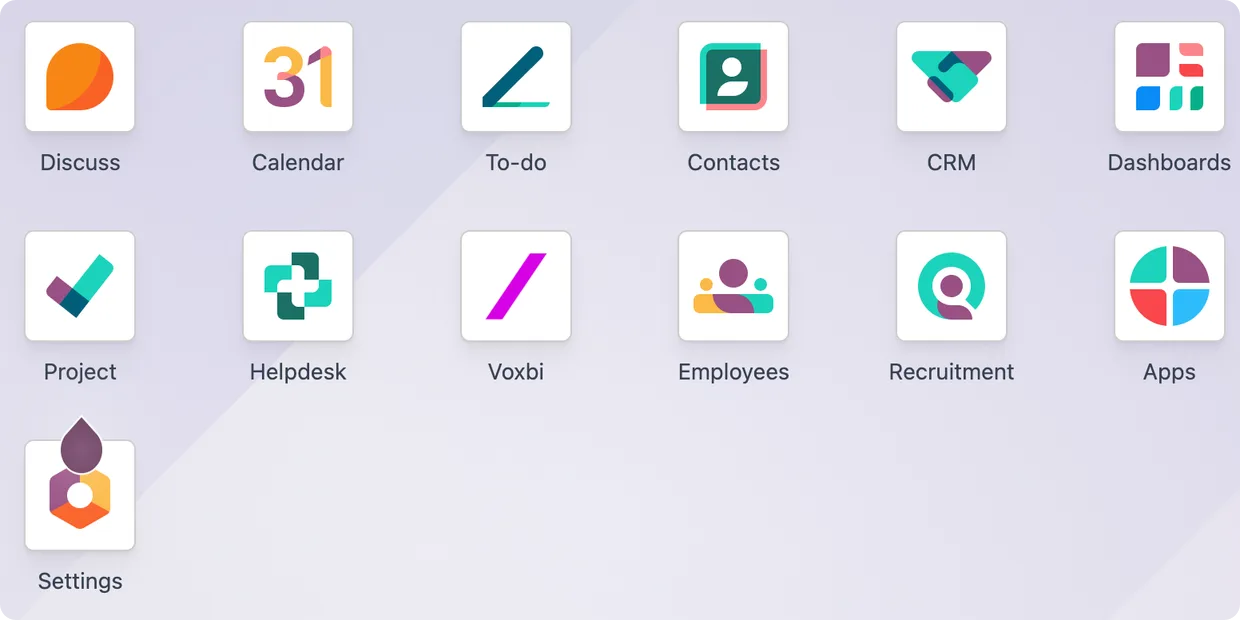
The Voxbi app sits alongside the Odoo modules you already use, including CRM, Contacts, Calendar, Helpdesk, and Project, so calls and their summaries show up wherever the work happens, not in a separate silo.
What you need to get started
The integration works with Odoo 16, 17, 18, and 19, on Odoo Online, Odoo.sh, and self-hosted setups, and on both Enterprise and Community editions. Setup takes about 15 minutes, and you do not install anything in Odoo by hand: you enter a few details in the Voxbi Cockpit and it installs and configures the module for you.
Frequently asked questions
Does Voxbi log calls in Odoo automatically?
Yes. Once connected, every call your team makes or receives is logged on the matching contact and opportunity in Odoo, with no manual entry. The first full sync finishes within about an hour, and after that calls appear in near real time.
Does it work with Odoo CRM?
Yes. Calls are linked to leads and opportunities, so the full call history and its AI summaries show up on the deal, and you can see call activity right in the pipeline.
Can I make calls from inside Odoo?
Yes. You can click to call from any record with a phone number, and you can optionally enable calling from Odoo's own dialer so your team never leaves Odoo.
What does the AI actually do?
It transcribes each call, writes a short topic line and a longer summary, and saves them in Odoo against the call. That means searchable, readable notes for every conversation without anyone writing them.
Which Odoo versions and editions are supported?
Odoo 16 through 19, on Odoo Online, Odoo.sh, and self-hosted deployments, and on both Enterprise and Community editions.
Ready to connect Odoo and Voxbi?
Turning this on takes about 15 minutes. Follow the step-by-step setup guide, or read the Odoo integration overview for the full picture. Stuck on anything? Email hello@voxbi.com and we will help.